
Account and settings
Contact support from the app
Settings → Support sends a request to our team with your email, a description and an optional screenshot, and you get a reply by email.
Before you start
- A Second Phone account
Steps
1Open Support
On your Profile tap the settings icon, then Support.
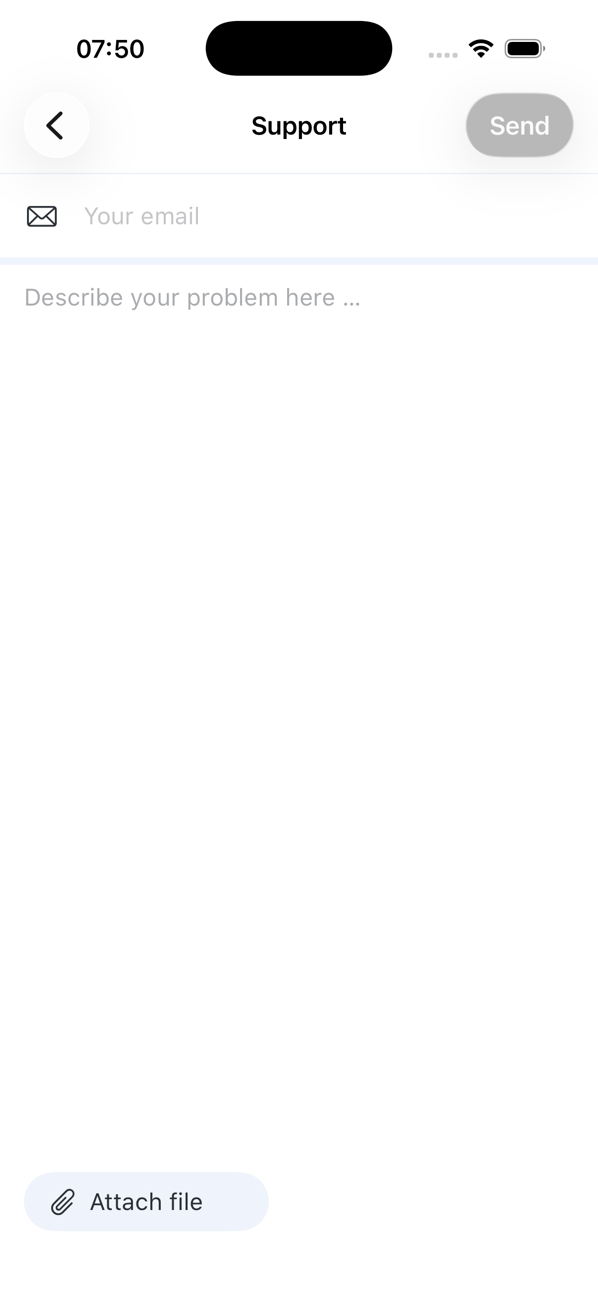
2Fill in the form
Enter Your email (where we should reply) and describe the problem: what you expected, what happened, and the number involved if there is one. Tap Attach file to add a screenshot.
3Send
Send becomes active once the email and description are filled in. The app confirms the request and offers SEND ANOTHER REQUEST if you have more.
4Wait for our reply
We answer by email. If you cannot open the app, use the Contact us page on this site, which creates the same kind of request.

Good to know
- Blocked account or a subscription that cannot be matched? Include the email address or phone number you sign in with.
- Refunds for store purchases are handled by Apple or Google, not through support.