
Messages
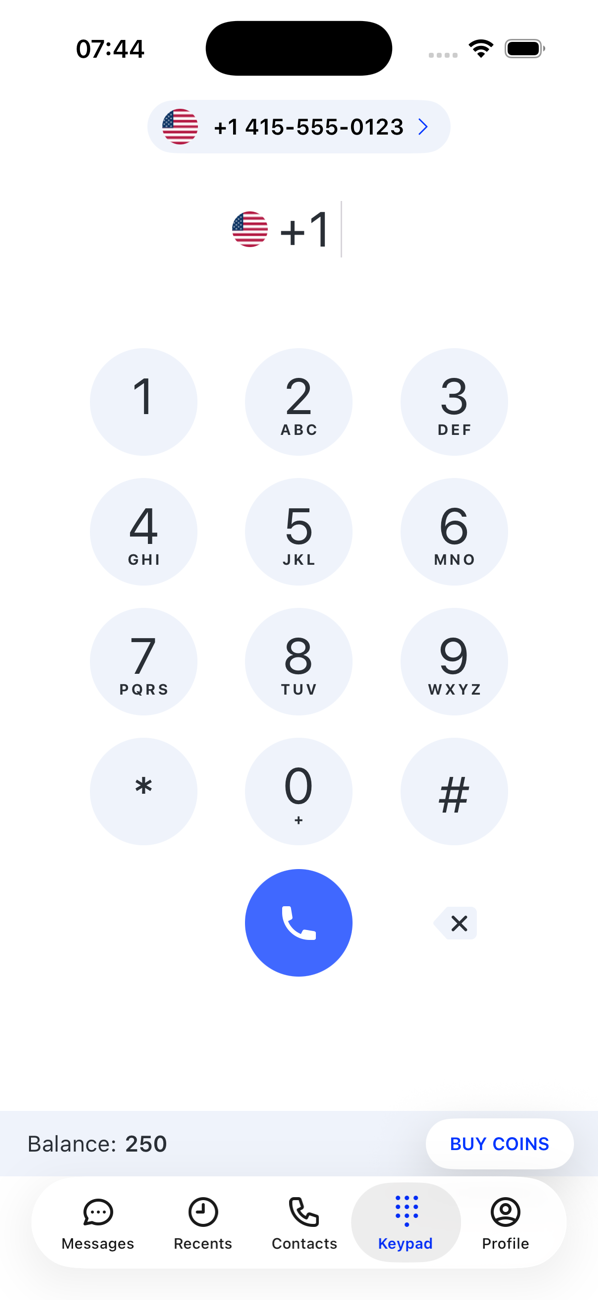
Switch the number you are using
Each of your numbers has its own calls and conversations. The number switcher at the top of a tab chooses which one you are working with.
Before you start
- At least one active number
Steps
1Find the switcher
At the top of Keypad, Messages and Recents the current number is shown. Tap it.
2Pick a number
The list shows your numbers that can do what the tab needs: numbers with SMS on Messages, numbers that can make calls on Keypad and Recents. Your primary number carries a crown; badges show unread messages or missed calls per number.
3Carry on
The tab reloads for that number: its conversations, its call history, its outgoing calls. The choice stays until you switch again.

Good to know
- A deactivated or expired number is not offered; activate or renew it from your Profile first.
- Contacts are shared across all your numbers; conversations and call history are not.