
Local and mobile numbers in other countries
Your second phone number.
Any country. One app.
Buy a local or mobile number in another country and use it from the phone you already have. Calls, SMS and MMS, voice notes, voicemail and call recording, all in one place.


Free to download. Your first number comes with a subscription; extra numbers are paid with coins.
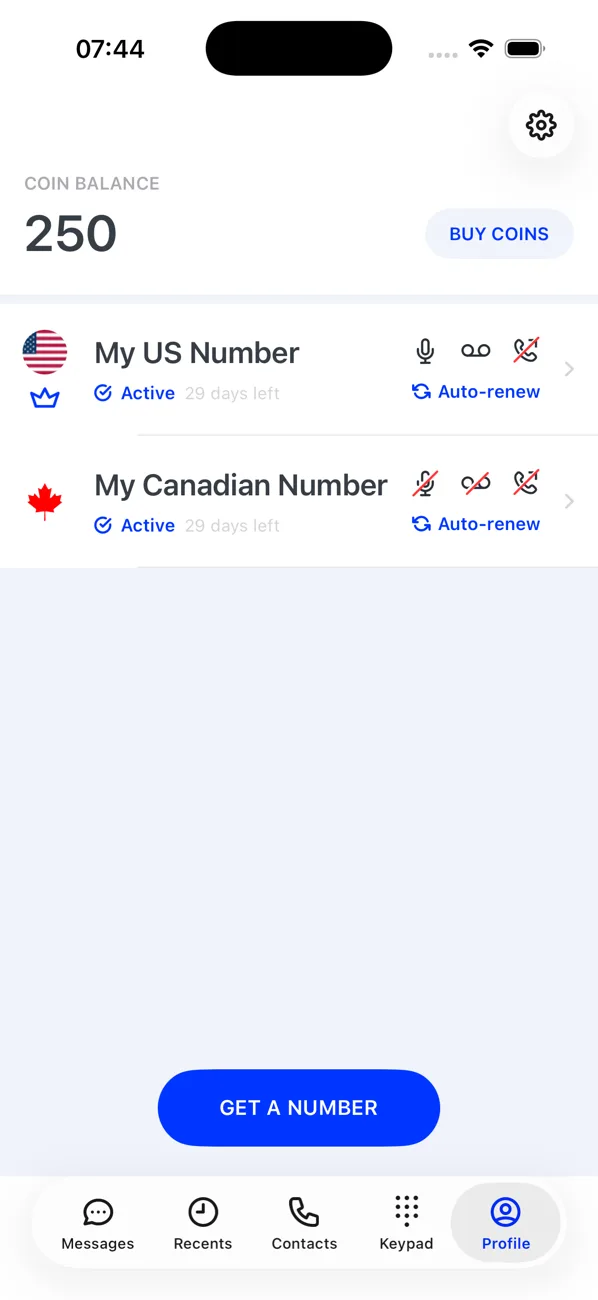
- 1 app
- for calls, texts, voicemail and recordings
- 16
- languages, including Arabic
- 10
- numbers on one account, several per country
- Free
- to receive SMS on any of your numbers
Features
Everything a phone number should do
Real local and mobile numbers, with the tools of a modern phone app around them.
Calls to any number
Dial from a keypad with the country picked from its flag. Mute, speaker and in-call tones. Answer incoming calls, decline them, or decline with a text reply.
SMS, MMS and voice notes
Message any SMS- or MMS-capable number. Send photos and media, record voice notes, and see when each message was sent and delivered.
Voicemail and call forwarding
Switch voicemail on per number, with business hours, and forward calls when you cannot answer. Play voicemails back from your recents.
Call recording
Record calls on any number with recording switched on, and listen again whenever you need to.
Video calls
Video calls with other Second Phone users, straight from a contact's profile.
PIN and biometric lock
Lock the app with a 4-digit PIN or biometrics, and keep a private set of contacts inside it, separate from your phone's address book.
How it works
Up and running in minutes
- 01
Choose a country and a number
Browse countries, most popular first, and see what each supports: calls, SMS, MMS. Pick a region where the country has them, then the number you like.
- 02
Start your subscription
Your first number comes with a subscription. On iPhone choose yearly, monthly or weekly; Android has its own plans. Manage or cancel it any time through the App Store or Google Play.
- 03
Call and text from the app
Switch between your numbers as you go. Add more with coins, for 7 days, 30 days, 90 days or a year, up to 10 numbers on one account.
Plans and coins
One subscription, then coins for everything else
Prices are set for your region and shown in the app before you buy.
Your first number
Included with a subscription. On iPhone choose yearly, monthly or weekly. Restore your purchase on a new phone from your Apple or Google account.
- Calls and texts from your primary number
- Voicemail, call forwarding and call recording
- Replace your primary number once, free
- Cancel any time in the App Store or Google Play
Extra numbers and usage
Coins come in packs of 200, 700, 1,000 and 3,000. They pay for extra numbers and renewals, calls by the minute, and the texts you send. Receiving SMS is free.
- Extra numbers for 7 days, 30 days, 90 days or a year
- Auto-renew from your balance, or let a number lapse
- A pricing calculator shows call and text rates between any two countries
- Every credit and debit listed under Expenses
Your numbers, your rules
Stay in control of every number
Each number has its own settings, so a work line and a holiday line can behave differently.
- Give a number a name of up to 20 characters
- Switch a number off and back on whenever you like
- Renew an expired number, or pick a new one if it has gone
- Delete a number you no longer need
Some countries require an address before a number goes live. You have 7 days to add it in the app.
Speaks your language
Available in 16 languages
The app follows the language your phone already uses.
- English
- العربية
- Dansk
- Deutsch
- Español
- Suomi
- Français
- Italiano
- 日本語
- Norsk bokmål
- Português (Brasil)
- Português (Portugal)
- Русский
- Svenska
- 简体中文
- 繁體中文
How-to guides
How to use Second Phone, step by step
Get your first number
Choose a country, a region and a number, then start the subscription that comes with your first (primary) number.
Add another number with coins
Extra numbers are bought with coins for 7 days, 30 days, 90 days or a year, up to 10 numbers on one account.
Record a call
Turn call recording on for a number, then record any part of a call. Recordings are saved under Recents.
Set up voicemail and business hours
Send calls to voicemail when you do not want to be disturbed, or only take calls during the hours you choose.
Forward your calls to another phone
Send every call to one of your numbers on to any other phone number, and switch it off when you want the app to ring again.
Switch the number you are using
Each of your numbers has its own calls and conversations. The number switcher at the top of a tab chooses which one you are working with.
From the blog
Why people get a second number
Privacy, work, travel, selling online: plain-English articles on when a second phone number helps and how to use one well.
Why you need a second phone number (and how to get one without a second phone)
A second phone number keeps your personal number private, separates work from life, and gives you a local number in another country, all on the phone you already own.
How a second phone number protects your privacy
Your mobile number links your accounts, your identity and your location. A second number for everything public keeps the real one out of data breaches, spam lists and strangers' hands.
A second phone number for online dating: stay reachable, stay safe
Moving off the dating app to texts and calls is the normal next step. A second number lets you do it without giving a stranger the number tied to your bank, your work and your home.
Get your second number today
Download Second Phone for iPhone or Android, pick a country, and start calling.