
Troubleshooting
I can't make or receive calls
Calls fail for a handful of reasons: no active subscription or coins, a deactivated or expired number, a number without calling, or a missing microphone permission. Check them in this order.
Before you start
- The app open on your Profile
Steps
1Check the number's status
On your Profile the number you are calling from must show Active. Deactivated: swipe left and tap Activate. Expired: tap the card to renew it. Draft: complete the address first.
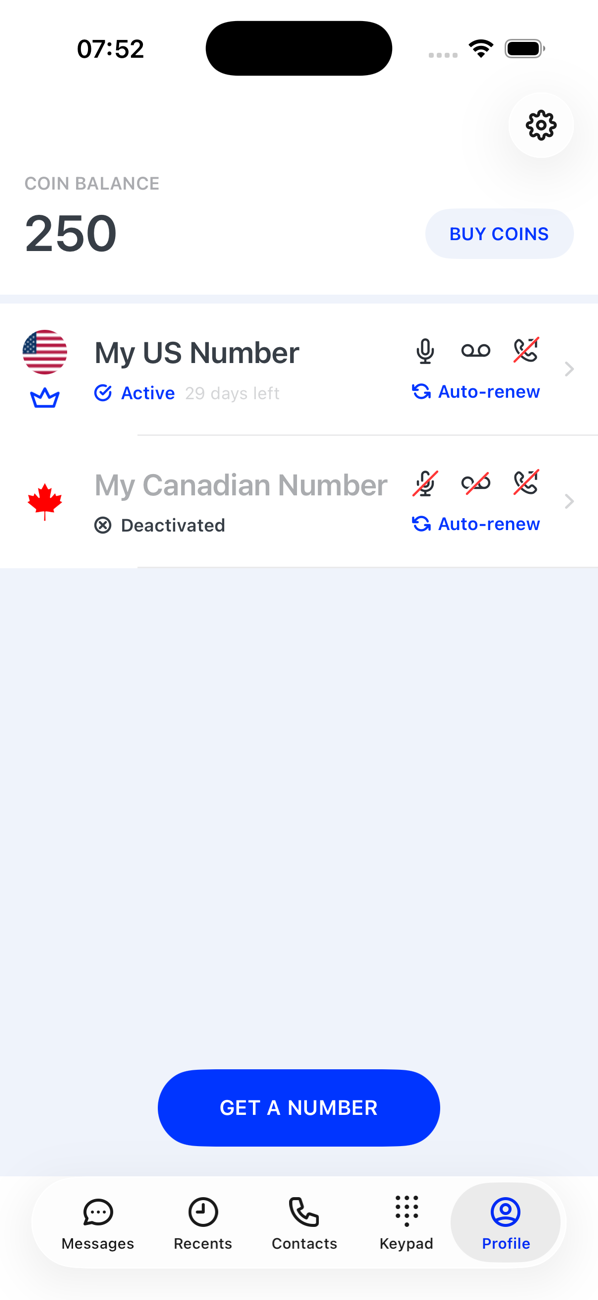
2Check what pays for the call
Calls from your primary number need an active subscription; calls from an extra number need coins. If the app says Your subscription has expired, renew it from the card; if it says Not enough coins, tap Buy Coins. Incoming calls follow the same rule.
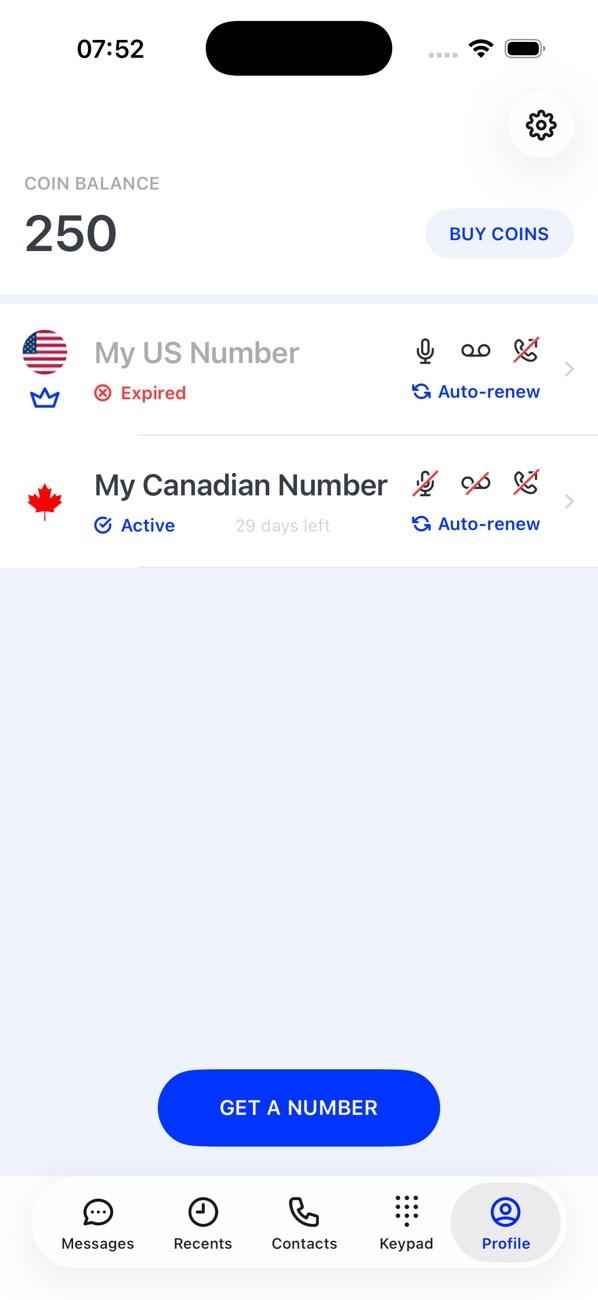
3Check the number can make calls
Some numbers are SMS-only. The capabilities are shown when you choose a number; a number without Calls never appears in the Keypad's number switcher. Switch to a number that has calls, or get one.
4Check the microphone permission
Calls need the microphone. On iPhone: Settings → Privacy & Security → Microphone → Second Phone. On Android: Settings → Apps → Second Phone → Permissions.
5Check the connection
Calls travel over data or Wi-Fi. Try another network, or turn Wi-Fi off and on. Premium-rate destinations cannot be called at all.


Good to know
- The Keypad shows the number you will call from at the top; tap it if it is the wrong one.
- Still stuck? Contact us with the number you called from, the number you called and the time.