
Calls
Make a call
Dial from the Keypad, or call from a contact, a recent call or a conversation. The call goes from the number you have selected.
Before you start
- A number that can make calls, with an active subscription (primary) or coins (extra numbers)
Steps
1Open the Keypad and check the number
Tap Keypad. The number at the top is the one you will call from; tap it to switch. Your coin balance is shown as well.
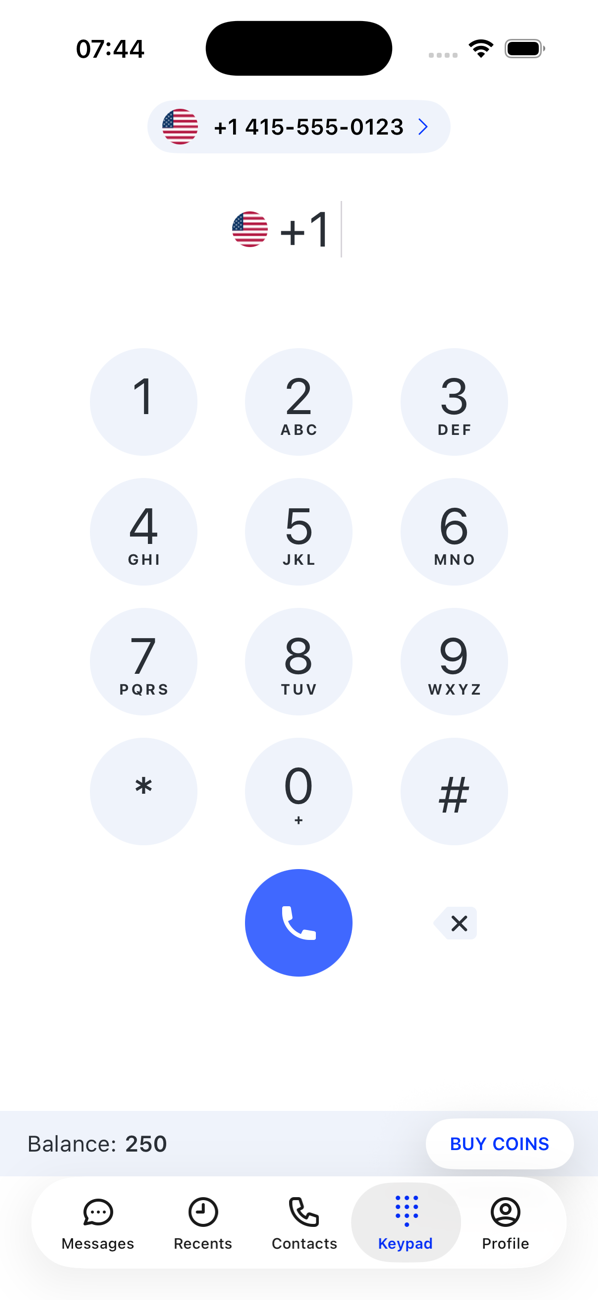
2Dial
Tap the flag to choose the country you are calling, then enter the number. The blue call button lights up as soon as the number is valid. You can also tap Add to Contacts to save it first.
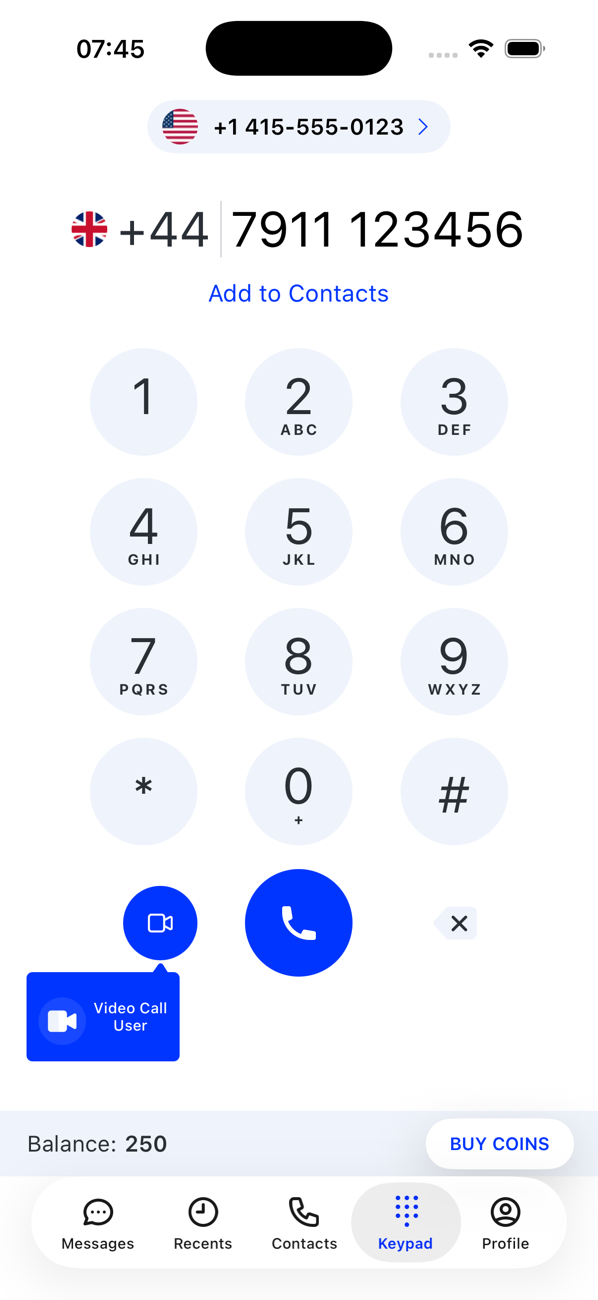
3Call
Tap the call button. The screen shows calling … until the other person answers, then the timer starts.
4During the call
Use mute, speaker and keypad (to send tones to a menu or an extension). If call recording is on for this number, record is there too. Your coin balance is shown and updated every minute.
5Hang up
Tap end call. The call appears in Recents, and its cost under Expenses.


Good to know
- Other ways to call: the phone icon on a contact's profile, an entry in Recents, or the phone icon at the top of a conversation.
- Premium-rate numbers cannot be called.
- Check Settings → Pricing for the per-minute rate between two countries before a long call.