
Getting started
Add the address a country requires
Some countries need a registered address before a number can go live. You have 7 days to provide it.
Before you start
- A number marked Address Required, or a Draft number on your Profile
Steps
1Recognise the request
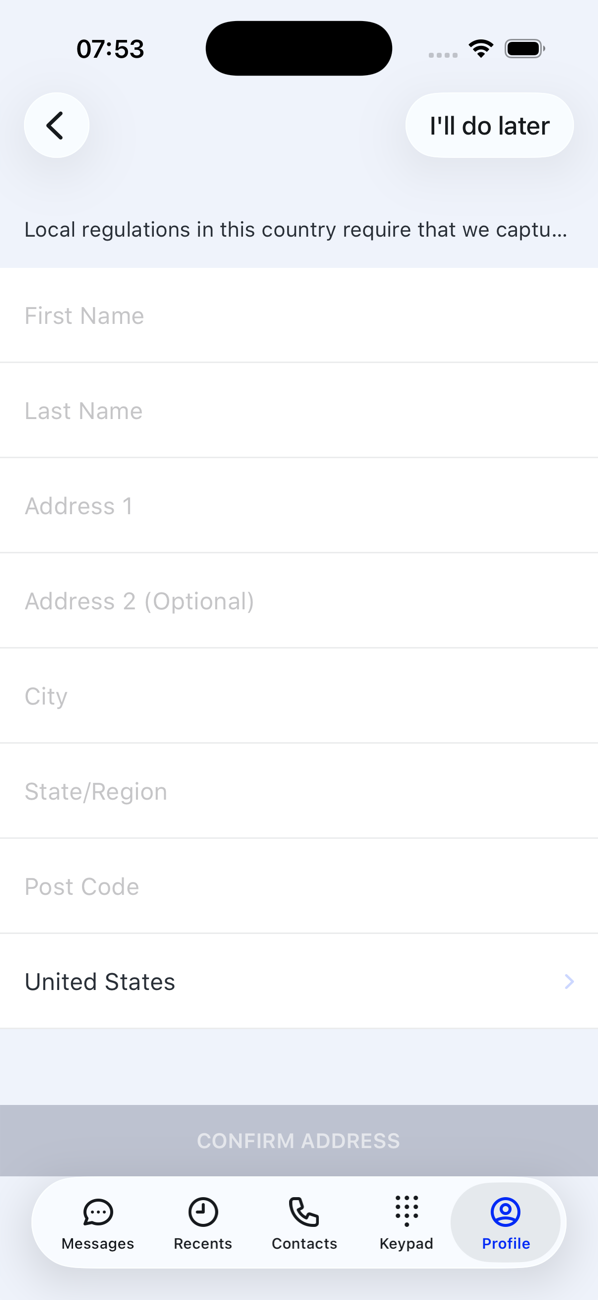
When you pick a number in one of these countries, the Address Required screen explains that local regulations require your business or personal address to register the number.
2Fill in the address
Enter your First Name and Last Name, Address 1 (and Address 2 if you need it), City, State/Region, Post Code and Country.
3Confirm
Tap CONFIRM ADDRESS. The purchase completes and the number becomes Active.
4Left it for later?
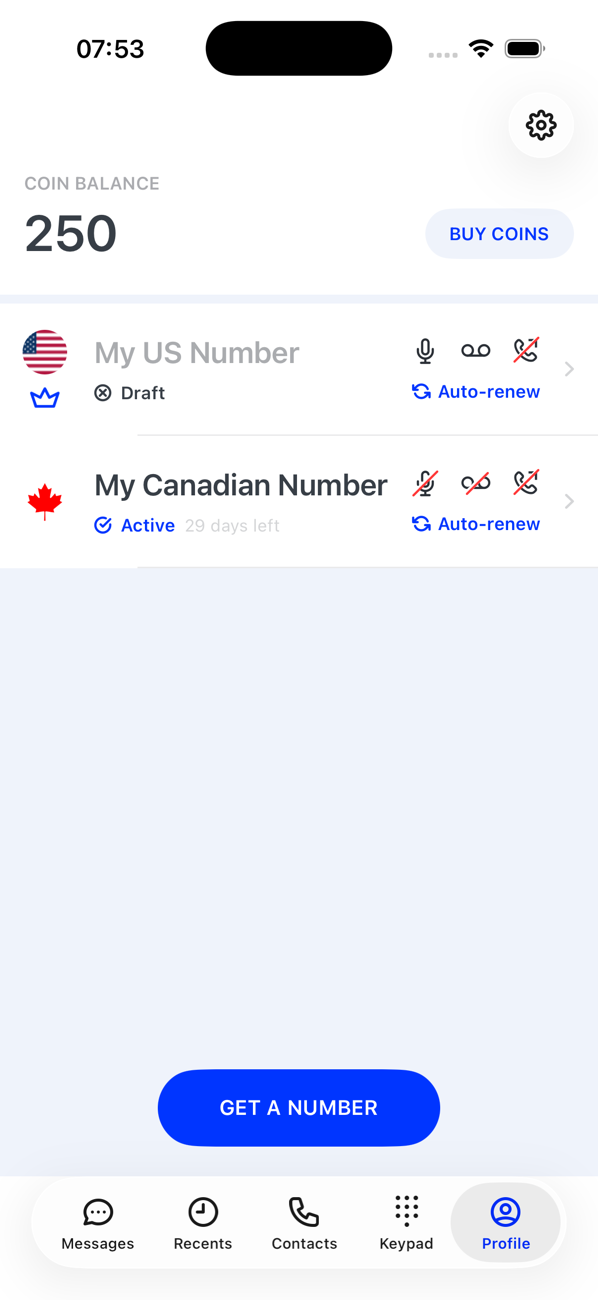
Tap I'll do later and the number sits on your Profile as Draft. Tap the card to return to the address screen. A Draft that is not completed within 7 days is released; swipe left on it to delete it sooner.


Good to know
- The address is used only to register the number, as the regulations require. See the Privacy Policy.
- A Draft number has no settings and does not appear in the number switcher until it is active.